Step 1
Check your current partition size and drive by using df -h and fdisk -l /dev/sda command (assuming your drive is sda):
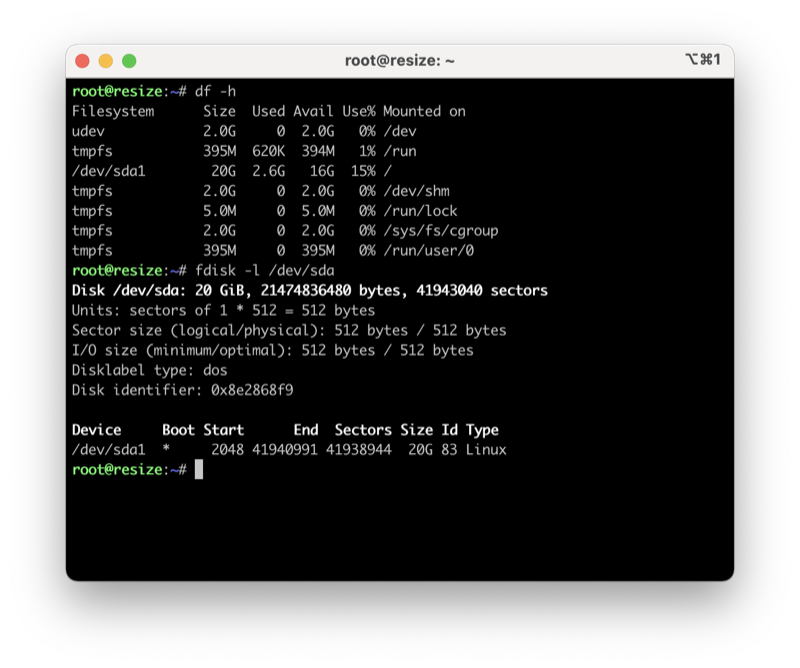
As you can see, the root partition / and the drive total capacity are around 20GB.
Step 2
Now you need to rescan your block device sda with the following command:
$ echo 1 > /sys/block/sda/device/rescan
And check again drive capacity by using fdisk -l /dev/sda command:
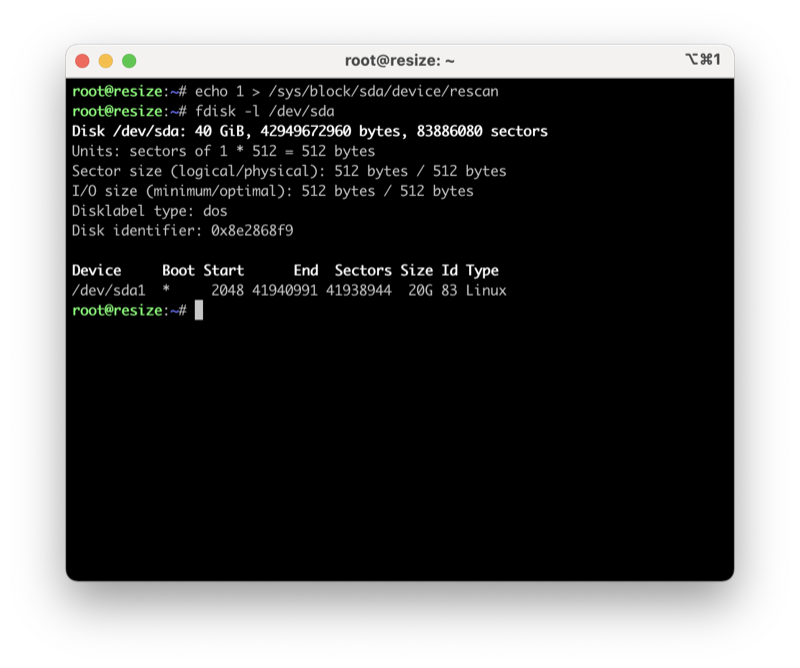
Now your drive has 40GB capacity, but your root partition still uses only 20GB. To resize the root partition, you need to run fdisk /dev/sda:
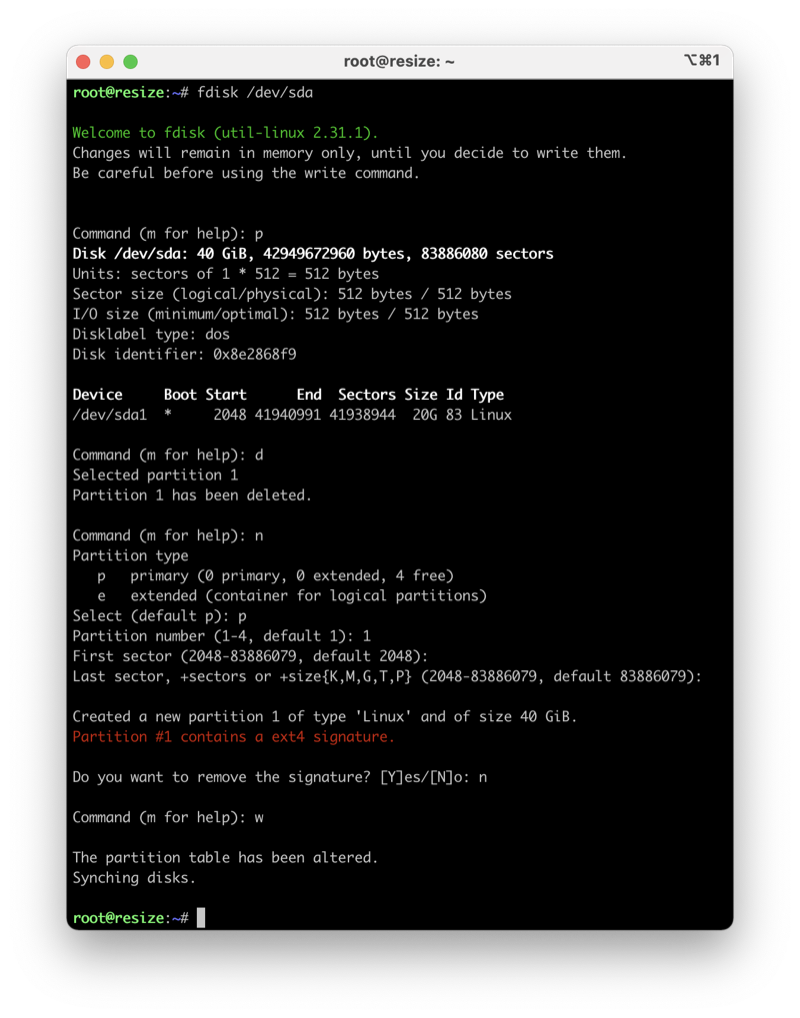
$ fdisk /dev/sda
Now press “p” to print the current partition layout.
This operation can be dangerous, so please follow the following steps with caution!
Step 3
Now delete your primary partition /dev/sda1 by pressing the d key.
Step 4
Create a new partition by pressing the n key and pressing 1 for the partition number.
Step 5
Use the default value of Fist sector and Last sector
Step 6
Do not remove the existing signature! Press n to avoid removal.
Step 7
: Now press the w key to save the partition table.
Step 8
Type resize2fs / command and check your current root patition capacity by using df -h:
$ resize2fs /dev/sdaxx
$ df -h
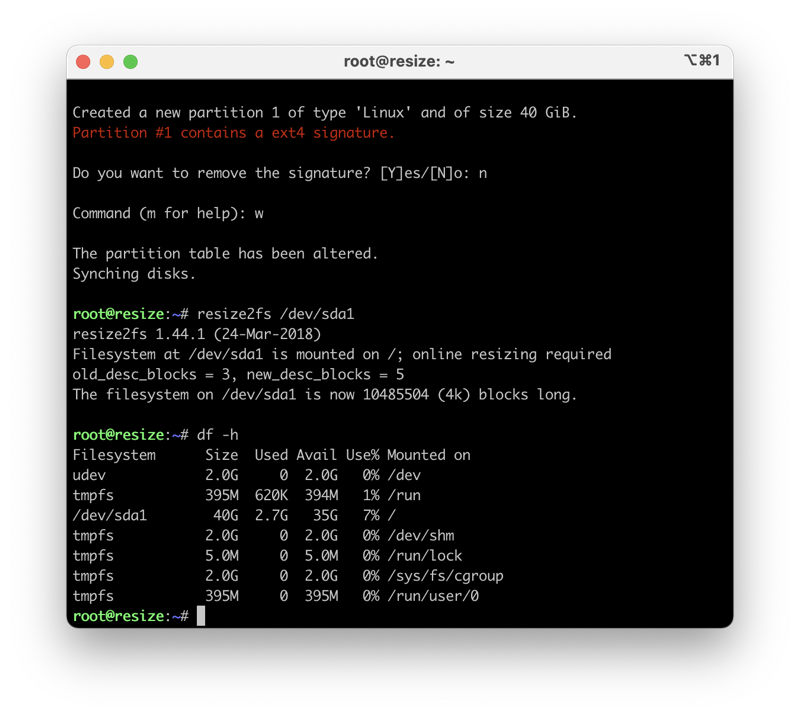
Your root partition / has been now resized.